


Products
Payment links
No code payments
Payment links allow you to accept payments without building a checkout page. You can create a link for a specific amount and purpose, then share it with your customer through any channel. This works for small businesses as well as large enterprises and supports payment requests that need to be handled in a fast, simple, and secure way.
Easy to use
A practical way to request and collect payments
No code required
Create and share payment links without any hassle.
Fits all business models
Use payment links for any online payment request.
Managed in one place
Create, track, and manage payment links from your Paychella account.
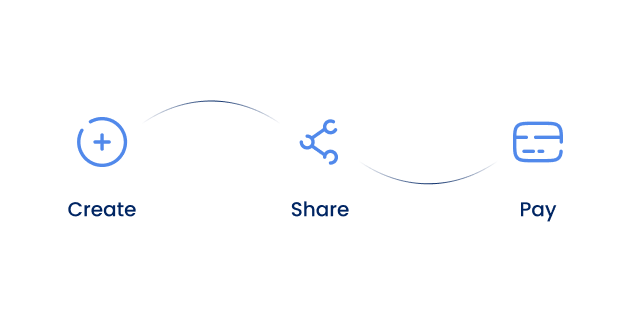
In just 3 steps
Paychella payment links are easy to use. Create a payment link in 3 simple steps and share it right away. See our documentation for the full user guide.
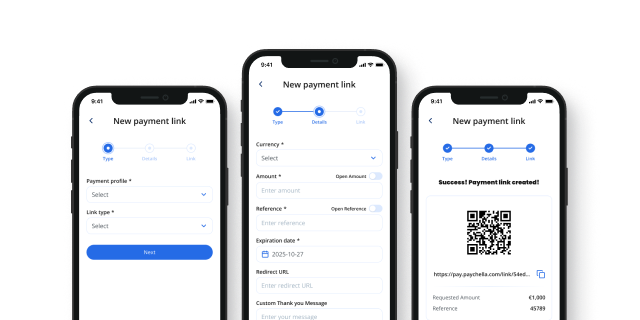
How does it work?
01
Create a link
Create a payment link in your Paychella account. Use it to sell a product or service, or collect a donation.
02
Send the link
Send the payment link through your preferred channel. Reusable links can be shared with multiple customers.
03
Get paid
Get notified through email or in your Paychella account. You will receive the funds directly into your account balance.
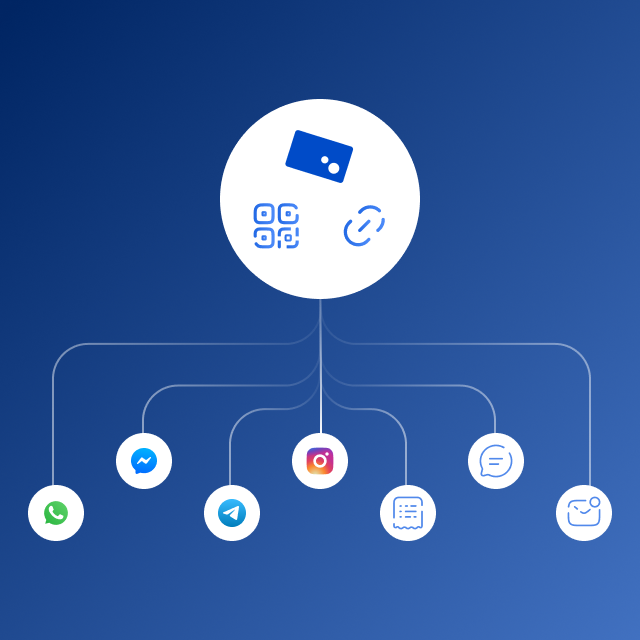
For every channel
Our payment links can be sent through any channel you like. Either by email, SMS, messaging services like WhatsApp, Telegram, Signal, or Messenger. Or you can share a QR code on your invoices or printed materials.
Customize your customer experience
With our payment links, you can customize the customer experience by setting up a custom message you show to your customer after payment or directly redirect them to your product download link.
Pricing
Payment links are included in all our packages and are free to use. We only charge you our standard transaction rates for every successful payment.
Ready to get started?
Create an account now and start creating payment links in no time.
FAQ
Frequently asked questions about our payment links.
We use cookies to enhance your browsing experience. By clicking 'Accept' you agree to our use of cookies.